Build and update financial models with AI, directly in Excel.
Scout is an Excel-native AI financial modeling assistant powered by Daloopa’s audit-ready data across 6,000+ tickers globally. Build three-statement models, update existing files after earnings, and compare companies across an industry with a single prompt.
Most AI Excel tools can edit a workbook. Scout was built to meet the higher standard of public-equity modeling — where reported data, formulas, assumptions, and outputs all need to be traceable and audit-ready.
What sets Scout apart:
VERIFIED PUBLIC-COMPANY DATA
Reported values come from Daloopa’s structured database, sourced from filings, investor presentations, earnings transcripts, and press releases.
HYPERLINKED BY DEFAULT
Reported figures link back to the exact source, so you can review a model without hunting through filings.
BUILT BY ANALYSTS, FOR ANALYSTS
Scout focuses on the Excel workflows public equity teams run every day: building and updating models as new information comes in.
PROVEN FOR INSTITUTIONAL-GRADE FINANCIAL MODELING
In benchmark testing against three other AI Excel agents, Scout led on data accuracy, correctly populating 99% of reported financial datapoints without altering existing formulas or user assumptions.
Why the data layer matters
A financial model only works when the underlying data is complete and reliable. Scout is powered by Daloopa’s financial dataset, the most comprehensive and accurate source of model-ready public-company data:
6,000+ global tickers covered, with ongoing expansion
5-10x more data points* than other fundamental data providers
99%+ accuracy via proprietary data extraction and validation process
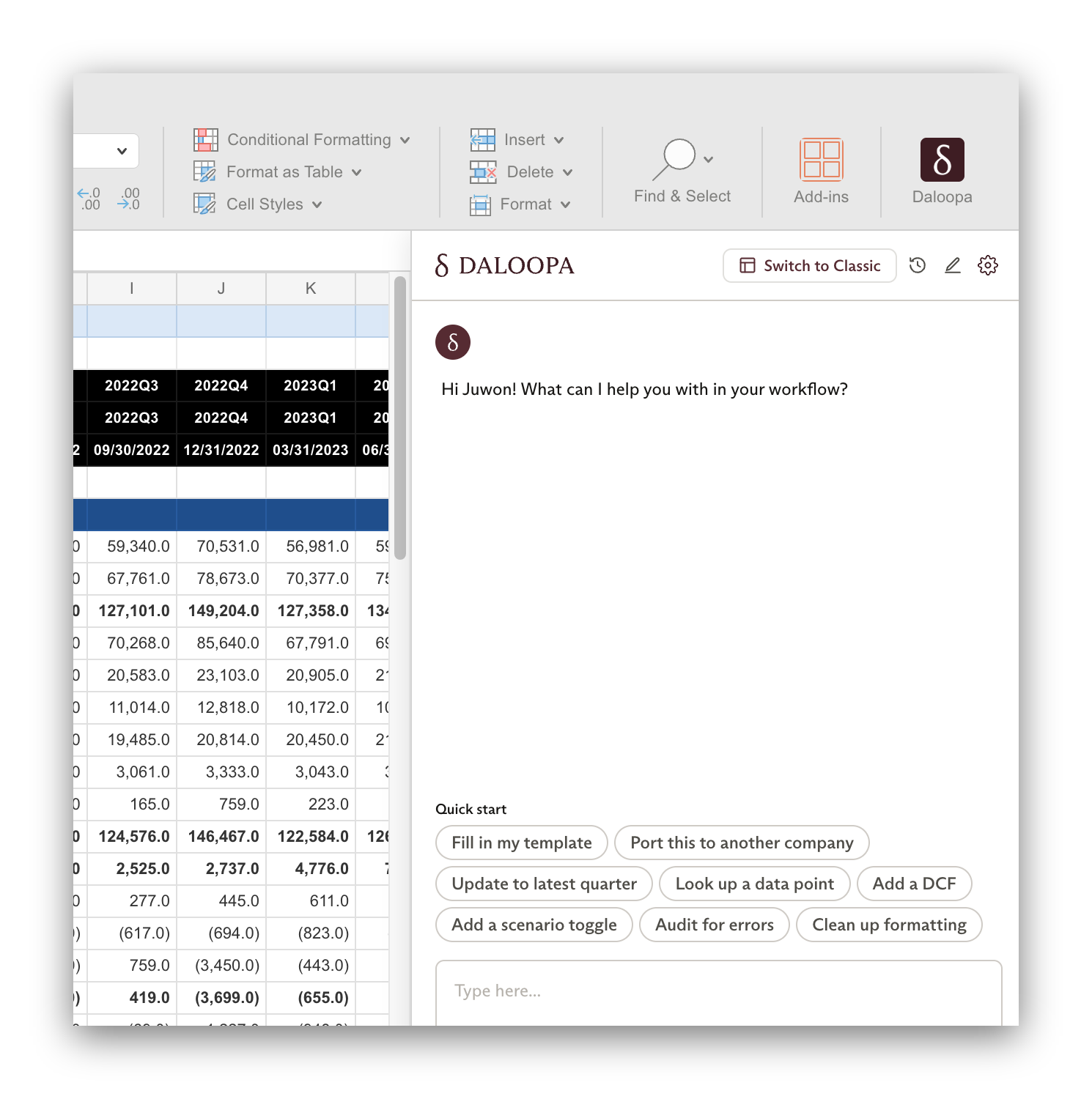
Click a button to populate a starter prompt for common workflows, then edit or customize the prompt before sending.
Custom skills
Save reusable prompts and apply them again when the same workflow comes up.
Global instructions
Save preferred formatting, tie-out logic, and house style for Scout to apply in future models.
Chat history
Return to prior Scout conversations without starting from scratch.
How analysts use Scout
BUILD MODELS AND COMPLEX ANALYSES FROM SCRATCH
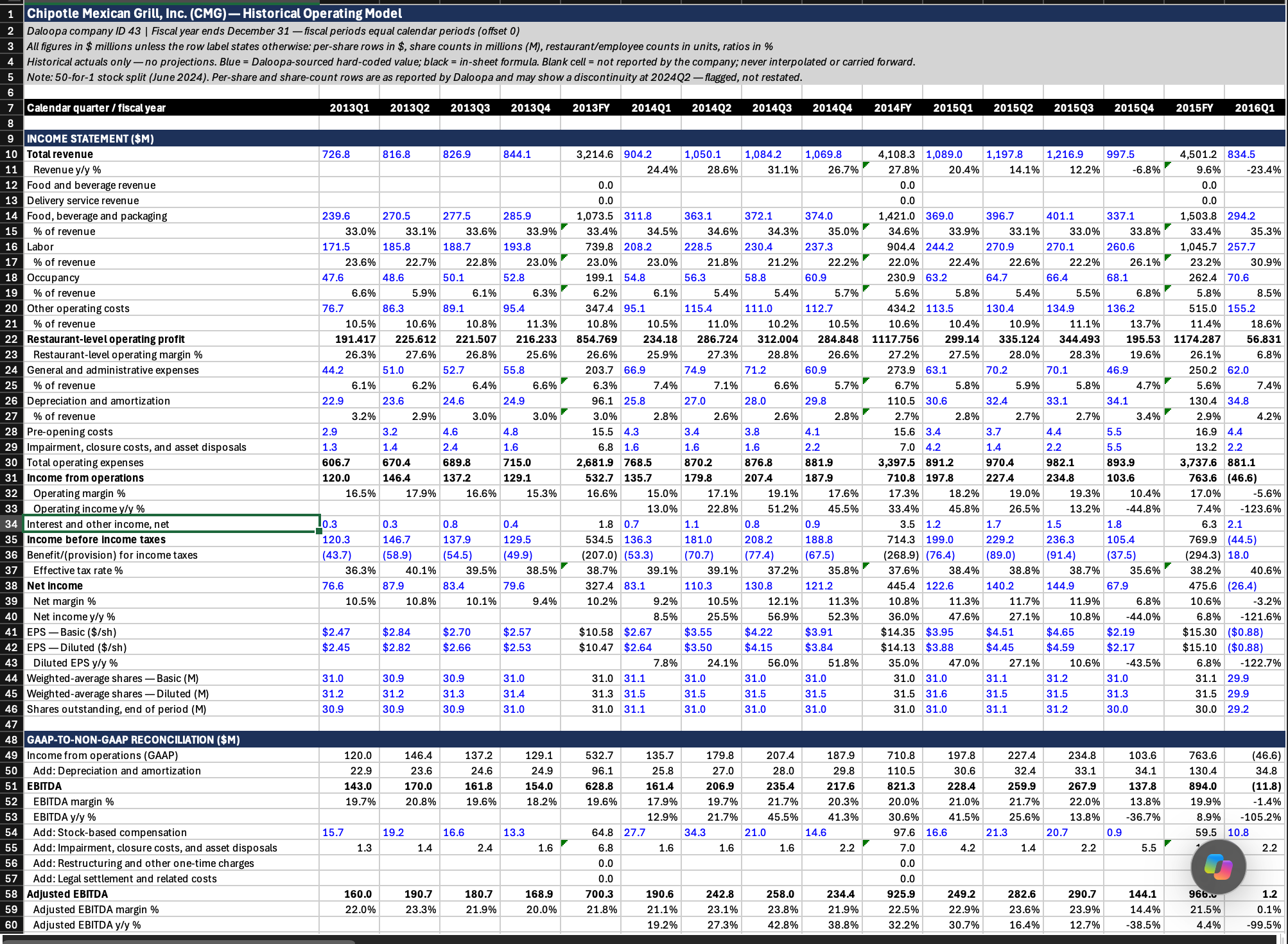
Build financial models from Daloopa historicals with a single prompt. Add assumptions, time frames, and projections, with calculations clearly broken out in Scout.
Prompt example:
“Using all available historicals, build me a three statement model for CMG.”
Click to zoom
UPDATE MODELS AFTER EARNINGS
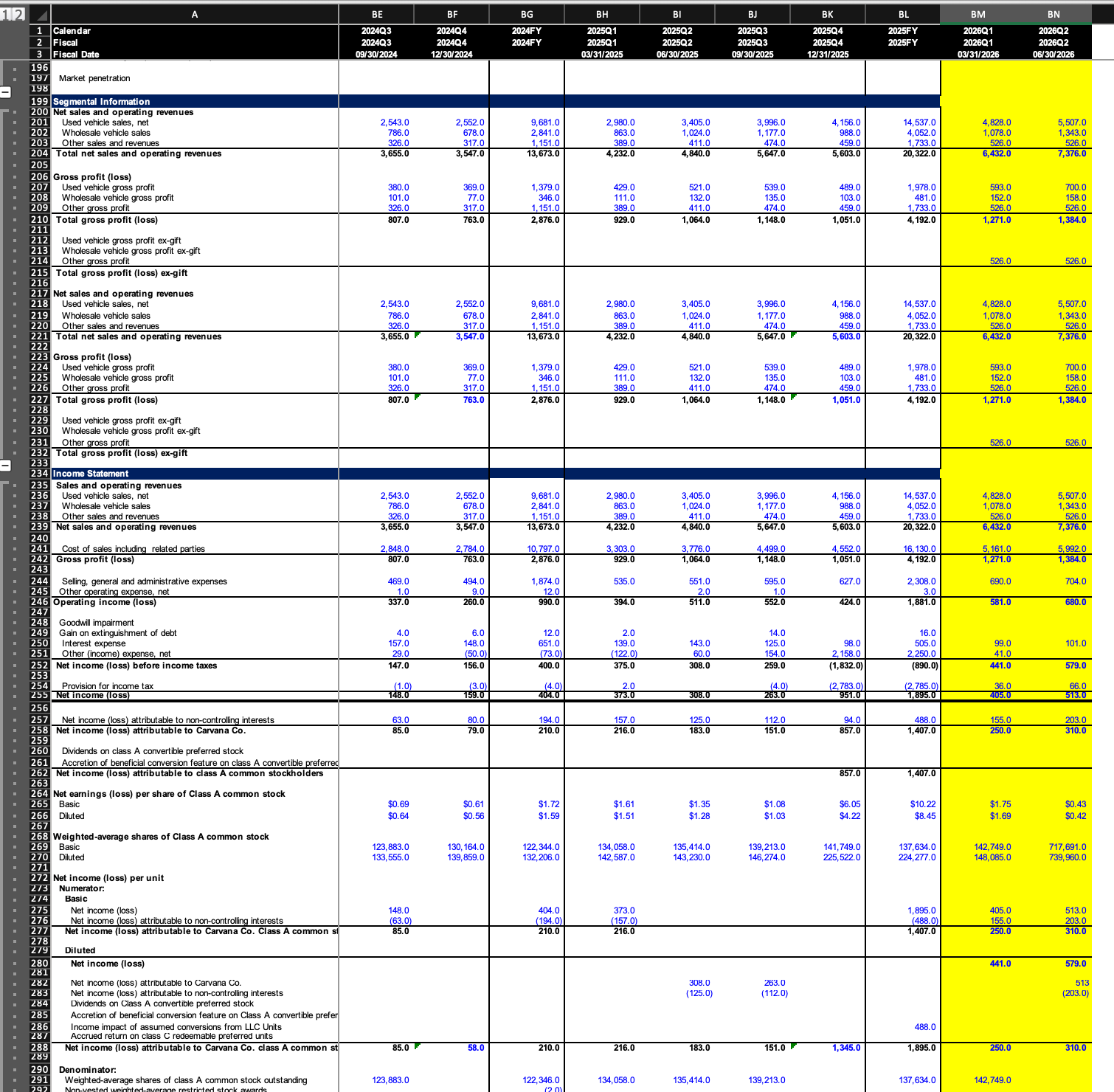
Update an existing model with the latest reported quarter. Scout adds the new actuals to the right period while leaving prior periods unchanged.
Prompt example:
“Update my CVNA model for the latest earnings print. Add the new actuals, capture any new disclosures, and leave prior periods unchanged. Highlight the cells you changed in yellow.”
Click to zoom
CREATE COMPREHENSIVE COMPARATIVE INDUSTRY MODELS
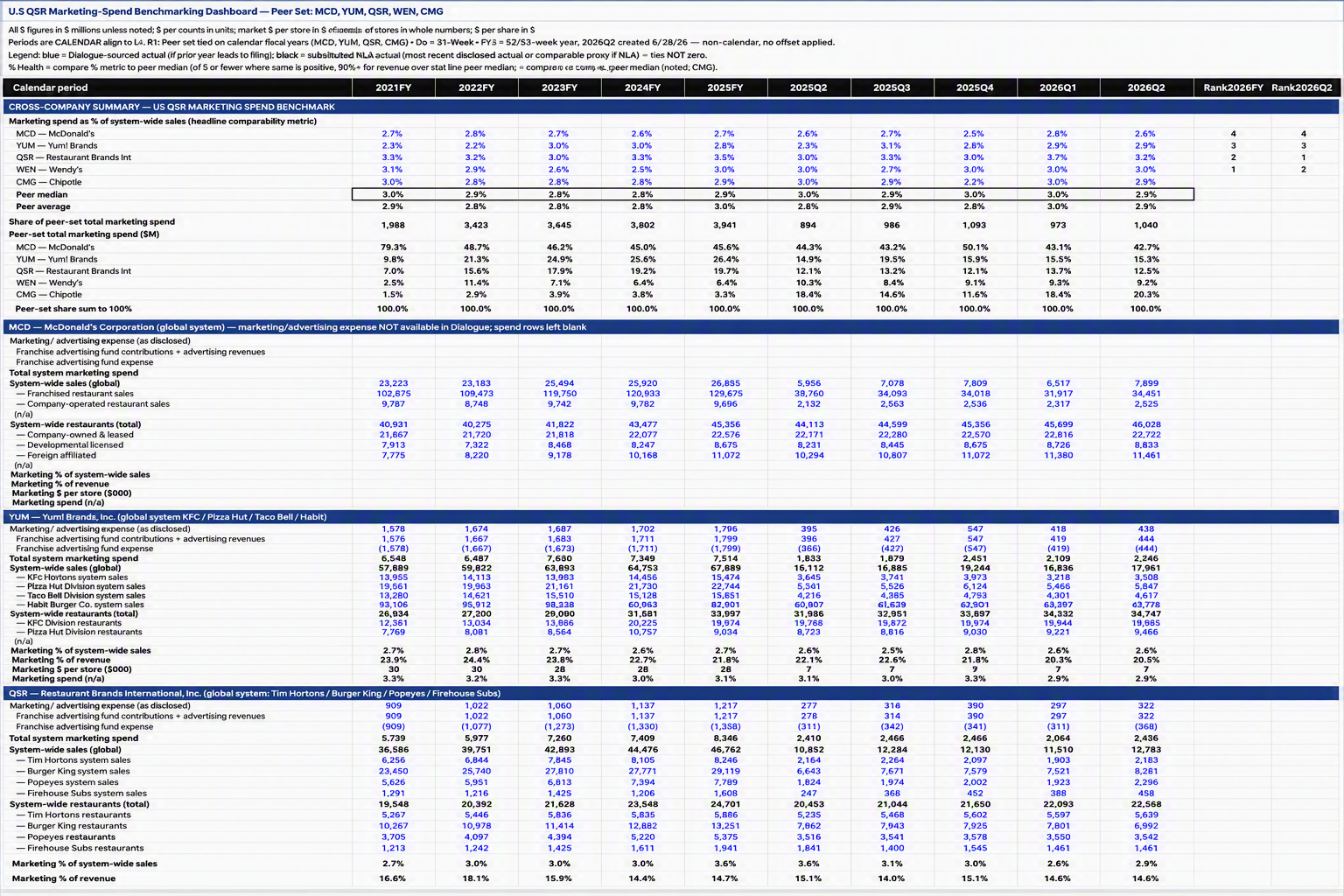
Compare metrics across companies and industries, with periods and line items aligned across the peer set. Analyze trends across players in the same workflow.
Prompt example:
“Benchmark marketing spend across the major Quick Service Restaurants (QSRs) operating in the US.”